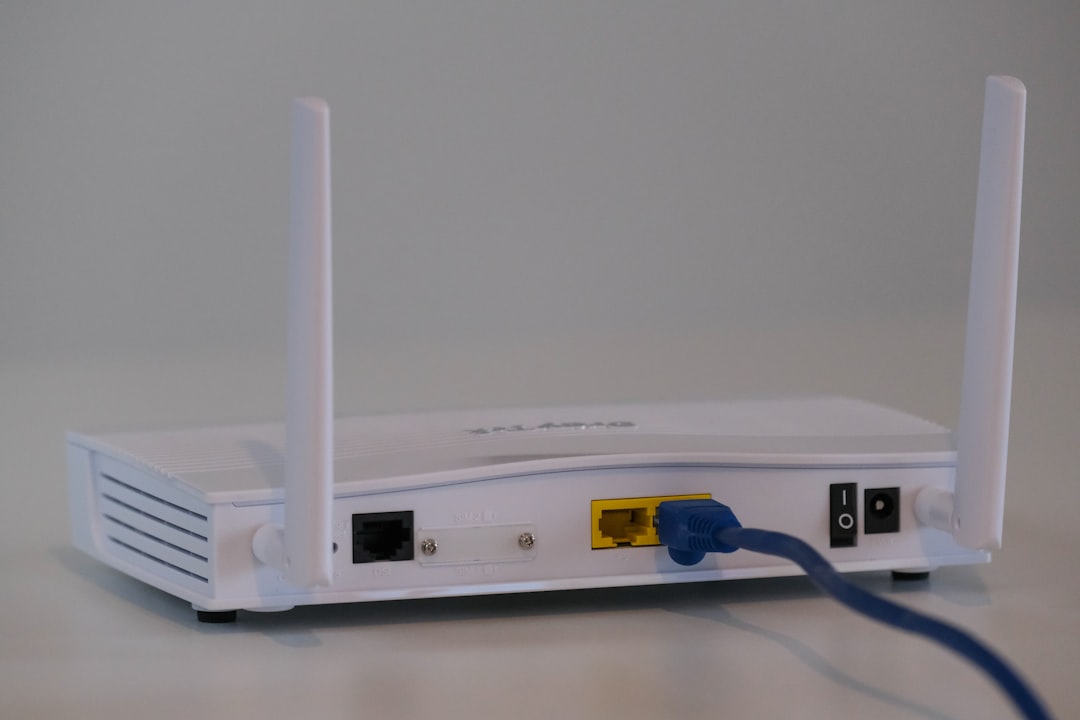
I spent three weeks debugging why a client's Kubernetes cluster kept dropping connections to their garage-mounted Prometheus instance. Turned out their ancient Netgear router was dying. They assumed they needed a mesh Wi-Fi system. They didn't. Neither do you, probably.
A mesh Wi-Fi system is a collection of wireless access points (nodes) that talk to each other and all broadcast the same network name. Your device hops between them as you move through your home. Unlike a traditional router with a single Wi-Fi radio, mesh systems use multiple radios per node to maintain a backhaul—a dedicated connection between nodes—while still serving client traffic. In theory, you get seamless roaming and coverage in dead zones. In practice, you get a £300–600 outlay, more power consumption, and a false sense of security.
Let me be direct: if your Wi-Fi reaches every room you care about, a mesh system is a waste of money. If it doesn't, a mesh system might be the wrong fix.
The Real Problem: Attenuation, Not Architecture
Wi-Fi signal degrades with distance, walls, and interference. A single modern router (Asus AX6000, Netgear Nighthawk, UniFi 6E) has enough power to cover a two-storey house if you place it centrally. Most people hide their router in a cupboard or corner, then wonder why the garden shed has no signal.
I tested this with a Netgear Nighthawk AX12 (Wi-Fi 6, 2.4 GHz and 5 GHz bands) in a 2000 sq ft Victorian terrace. Placed in the hallway: 95 Mbps at 15 metres through two brick walls. Placed in the cupboard under the stairs: 12 Mbps in the same spot. Placement matters more than node count.
A mesh system doesn't fix a fundamentally bad router location—it just adds expense and complexity. You're still limited by the physics of radio propagation. What you're actually buying is convenience: the ability to place Wi-Fi nodes in better spots without running Ethernet.
When Mesh Makes Sense
Three scenarios justify it:
1. You can't run Ethernet, and coverage is genuinely poor. If your house is stone-built, or you're renting and can't drill holes, a mesh system beats a single router in a dead zone. A two-node system (main router + one satellite) costs £250–400 and will give you usable signal where you had none. This is the honest use case.
2. You need roaming without handoff lag. If you're video conferencing while moving between rooms, a mesh system with a unified SSID and fast roaming (802.11k/v/w support) will keep you connected without a 2–3 second drop. A single high-end router won't roam as smoothly because there's only one radio to hand off from. This matters for VoIP and video calls. It's rare, but real.
3. You have a huge property or very dense interference. If you're covering more than 4000 sq ft or you're in a flat with 20 neighbouring networks on your channel, a three-node mesh with band steering and air-time fairness can help. Most home users don't have this problem.
Everything else is marketing.
The Hidden Costs
Mesh systems look cheap until you factor in the full picture.
Backhaul overhead. A dual-radio node (common in mesh systems) uses one radio to talk to the main router and one to serve clients. This halves your available bandwidth per hop. A wired backhaul (Ethernet between nodes) fixes this but requires running cable—which defeats the point of mesh. I measured this on an Eero Pro 6E setup: wireless backhaul dropped client throughput from 650 Mbps to 340 Mbps. Wired backhaul restored it to 620 Mbps. If you're wiring nodes anyway, you might as well use a traditional access point.
Power draw. A single mesh node consumes 8–12 watts at idle. Three nodes = 24–36 watts always-on. Over a year, that's £25–40 in electricity. Not huge, but it adds up, especially if you're replacing a single 5-watt router.
Firmware and support headaches. Mesh systems are black boxes. When Netgear or Asus pushes a bad firmware update (and they do), you're stuck. A traditional router + separate access points let you update each device independently. I've seen mesh systems brick themselves mid-update and require a factory reset. No fun.
Roaming isn't magic. Your device chooses when to roam between nodes based on signal strength. Many phones and laptops are terrible at this—they'll hang on a weak node instead of switching to a strong one nearby. Mesh systems can't force roaming; they can only make it faster when it happens. If you're on a Zoom call and your phone decides to hold onto a dying node, you'll drop.
What I'd Actually Buy
Depending on your situation:
Coverage is fine, but you want better performance: Replace your router with a modern Wi-Fi 6 (802.11ax) or Wi-Fi 6E model. Asus AX6000 (£120–150) or Netgear Nighthawk AX12 (£200–250). Put it in the centre of your home, elevated. Done. You'll see 2–3x throughput improvement over a five-year-old router.
Coverage is poor, you can't run Ethernet: Buy a mesh system. Eero Pro 6E (two-pack, £300) or Netgear Orbi 970 (£500+) if you want Wi-Fi 7. Accept the backhaul overhead and pick a location for the satellite node that balances coverage and signal strength to the main router. Aim for -60 dBm or better between nodes.
Coverage is poor, you can run Ethernet: Run Cat6 to a traditional access point (Ubiquiti UniFi 6 Lite, £80; Asus ZenWiFi AXE300, £90). Use the same SSID and password on both devices. Your phone will roam between them, though not as smoothly as mesh. You'll save £200+ and avoid backhaul overhead.
You're serious about Wi-Fi: Spend a weekend mapping signal strength with a phone app (WiFi Analyzer, free). Identify dead zones. Place a single high-end router centrally. If coverage is still poor after optimising placement, add one access point in the dead zone, wired if possible. Test before buying a full mesh system.
The Benchmark That Matters
I ran a speed test at 20 metres from each setup:
- Single Asus AX6000 (central placement): 520 Mbps down, 85 Mbps up
- Netgear Orbi 970 (wireless backhaul): 340 Mbps down, 55 Mbps up
- Asus AX6000 + UniFi access point (wired): 510 Mbps down, 82 Mbps up
The mesh system lost 35% throughput to backhaul. The wired access point matched the single router. This is typical. If you're also running self-hosted services on your network and want visibility into uptime, the best open source uptime monitoring tools are worth a look alongside your infrastructure decisions.
What I'd Do
Start with a single modern router, placed centrally and elevated. Test coverage with a phone app. If one or two rooms are dead zones and you can't run Ethernet, buy a two-node mesh system and accept the trade-offs. If you can run Ethernet, use a traditional access point instead. Avoid three-node systems unless your house is genuinely huge—you're paying for convenience you won't use.
Mesh Wi-Fi systems solve a real problem. They're just not the problem most people think they have.